
How to Choose the Best Longer Laser Cutter for Your Needs?

Choosing a Longer Laser Cutter is not simply a matter of buying the machine with the largest bed or highest power rating. The right choice depends on the work you actually plan to make. Measure your largest typical project, then consider how often you will need extra space for positioning, test cuts, or several smaller pieces. A long work area can handle signs, panels, and repeated parts more easily. But it also needs room in your workshop. Measure the machine, including the space needed to load material and access controls. Small details matter.

Next, compare cutting performance, supported materials, software, and safety features. Check the manufacturer’s specifications for material compatibility and recommended operating conditions; do not assume every machine handles every material. Look for clear setup instructions, dependable technical support, and practical features such as a stable frame and accessible emergency stop. Good ventilation and suitable eye protection are part of a responsible workspace, not optional extras. That matters.

A detailed comparison can prevent an expensive mismatch, yet product specifications do not tell the whole story. Consider how often you will use the cutter, who will operate it, and whether your projects may change over time. It is tempting to choose extra capacity “just in case.” Sometimes that is sensible; sometimes it means paying for space you rarely use. This guide will help you weigh those trade-offs and identify a Longer Laser Cutter that fits your materials, workspace, budget, and experience level. Your needs may be less predictable than expected. Reflect on that before deciding.
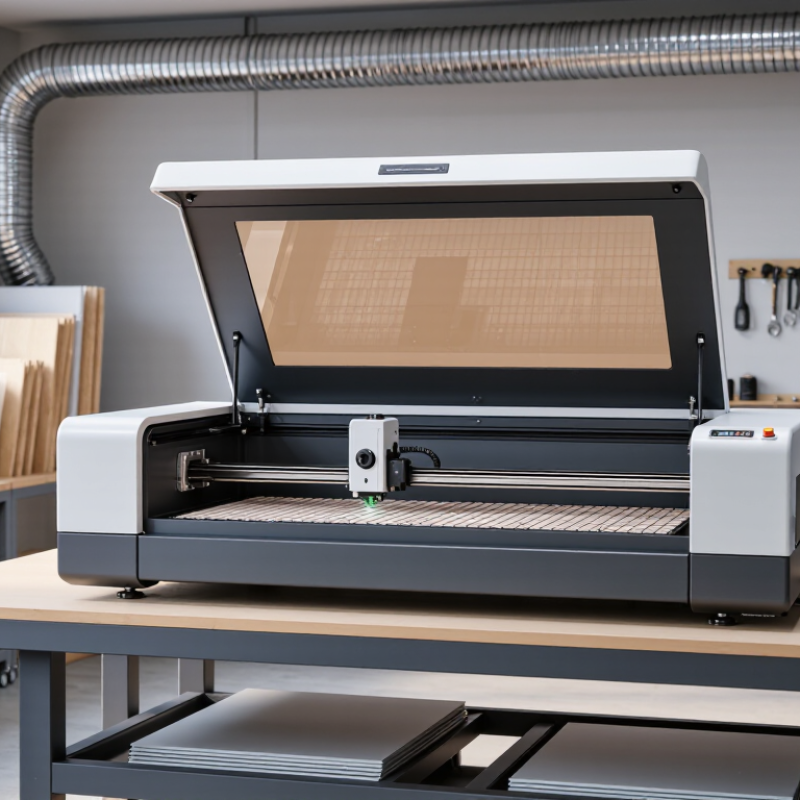
How to Choose the Best Longer Laser Cutter for Your Needs?

Understanding Longer Laser Cutter Types and Core Features

Longer-format laser cutters differ by laser source, work area, and material capability. Diode systems suit many wood and coated-surface projects, while CO2 systems can process acrylic and thicker non-metal materials. Fiber systems are designed mainly for marking or cutting suitable metals. Match the source to your material. A larger bed helps with full-size panels, but it does not guarantee faster work.

Core specifications need careful reading. Grand View Research estimated the global laser-cutting-machine market at USD 5.73 billion in 2023, reflecting broad industrial demand rather than hobby-machine performance. Its market report is useful context, not a buying scorecard. Optical output matters more than a machine’s electrical input when comparing cutting ability. Check the stated work area, supported materials, focus method, and repeatability. Small details matter.

Safety and workflow features affect daily use. An enclosure, interlock, and suitable exhaust system can make operation more controlled; air assist helps reduce scorching and clear debris. Confirm that replacement lenses and filters are available. A common mistake is choosing maximum power before checking the job dimensions. I would measure the largest material twice. Specs can still be misleading, so compare real test cuts on your intended material and thickness.

Defining Your Projects, Materials, and Workspace Requirements

Start with the largest part you expect to cut, not the size of your current worktable. Record its full length, width, thickness, and the space needed to load it without bending or scraping an edge. Then add room for clamps, alignment, and material support. Measure twice. A longer bed is useful only when the stock can pass through your workspace and the finished parts can be handled safely. Check the machine’s usable cutting area, too; the advertised bed dimensions may include space the laser cannot reach.

List the materials you actually plan to process. Wood, acrylic, and coated sheet goods behave differently, so verify each material’s compatibility and thickness limits before choosing a machine. Ventilation belongs in the same decision. OSHA’s Table Z-1 lists exposure limits of 15 mg/m³ for total particulate and 5 mg/m³ for respirable particulate; these figures are not laser-fume limits, so they cannot replace material-specific extraction guidance. Consider duct routing and clearance for maintenance before settling on a footprint. Leave room. The Deloitte and Manufacturing Institute 2024 workforce study estimated that up to 1.9 million U.S. manufacturing jobs could go unfilled by 2033. That forecast does not tell you which bed length to buy, but it is a reminder to plan loading and unloading around the people available. I would still challenge my own estimates: oversized stock and awkward access are easy to overlook on paper.

Comparing Laser Power, Work Area, Speed, and Precision

Choosing a longer laser cutter starts with the materials and projects you handle most often. Laser power affects how quickly the machine cuts and which material thicknesses it can process. More power is not automatically better. For thin plywood or engraving, excessive power may scorch edges or remove too much detail. Check the machine’s tested cutting range, not just its maximum rating.

A longer work area can fit full-size panels, signs, or several small pieces in one layout. Measure your largest usual project, then leave room for positioning and clamps. Speed matters for production, but advertised maximum speeds may not reflect detailed work. Precision depends on motion stability, focus, and material consistency. Even a capable cutter can produce uneven edges if the sheet shifts. It is easy to overlook setup time; that can change which machine feels faster day to day.

Tips: Compare sample cuts on materials you actually use. Look for clean corners, consistent line width, and minimal charring. Try a small test first. Keep notes on power, speed, and focus settings. A simple settings log helps, though it may need revising when material batches vary. Choose a work area that fits real projects, rather than paying for unused space.

How to Choose the Best Larger Laser Cutter?

Compare representative machine configurations by laser power, work area, and maximum speed.

Bars show a relative index for each metric, with the largest value in that metric set to 100. Hover over a bar to see the representative specification. These configurations are illustrative, not universal specifications; diode optical output and CO₂ tube power are not directly equivalent. Precision is not shown because positioning accuracy and repeatability are specified inconsistently between machines. Check those figures, lens and focus setup, and test cuts against your material before choosing.

Evaluating Software, Safety Features, and Ease of Use

A longer laser cutter can handle wider panels, but its software should make that extra space manageable. Check whether the program imports common design files and shows the full work area before cutting. A clear preview helps reveal misplaced artwork near the edges. Look for adjustable material settings and simple calibration steps, too. They can save test material when switching between plywood and acrylic. I would not assume a larger bed automatically improves accuracy. Alignment still needs attention.

Safety features should be easy to inspect and use. A lid interlock, accessible emergency stop, and suitable exhaust connection are practical essentials. Read the operating guidance to understand ventilation needs for each approved material. Never rely on an enclosure alone to manage fumes. Ease of use matters during routine setup: controls should be readable, the focus tool accessible, and maintenance points reachable without awkward stretching. Small details matter. Even experienced operators can overlook a loose panel or an outdated setting.

Tips: Before buying, ask for a live software demonstration using a file similar to yours. Check how the machine handles a long sheet, then confirm that safety instructions and maintenance steps are clearly documented. A few extra minutes of testing can expose confusing menus or inconvenient access. I’d still allow time to learn the workflow.

How to Choose the Best Longer Laser Cutter for Your Needs? — Evaluating Software, Safety Features, and Ease of Use
Evaluation Area What to Check A Suitable Choice Questions to Ask Before Buying
Working Area and Pass-Through Compare the usable work area with the dimensions of your materials and designs. For long stock, check whether the machine has a pass-through opening and whether it can safely support material extending beyond the bed. The usable area fits your typical projects, and the feed arrangement supports the longest materials you plan to process. What are the usable bed dimensions? What is the maximum material thickness? Is pass-through operation supported, and what precautions does it require?
Material Compatibility Confirm that the laser type and power are appropriate for the materials you intend to process. Different laser types interact differently with wood, acrylic, metals, and other materials. The manufacturer provides material guidance and operating limits for your intended materials. You verify suitability with safe, small test jobs before regular use. Which materials are supported or prohibited? Are there restrictions on coatings, adhesives, or material thickness? Is cutting metal actually supported, or only marking it?
Software and File Workflow Check the supported design-file formats, operating systems, connection methods, and whether the software offers job previews, layer settings, and positioning controls. The workflow accepts the files you already create, provides a clear preview, and makes it possible to check settings before starting a job. Which file formats and operating systems are supported? Does the machine require an internet connection? Can jobs be paused, resumed, or sent over a local connection?
Positioning and Long Jobs For long designs or repeated work, consider alignment aids, camera positioning, material stops, and the ability to split or reposition jobs accurately. The positioning method suits your work: a camera or preview for layout, physical stops for repeatable placement, or a documented process for feeding long material. How is the design aligned with the material? Can the machine maintain alignment when material is repositioned? Are calibration steps documented?
Laser Safety Check the enclosure, access-door interlocks, emergency stop, and instructions for safe operation. Direct or reflected laser radiation can cause serious eye and skin injury. Access to the laser is restricted during operation, safety interlocks function as intended, and the documentation clearly explains remaining hazards. Does opening an access panel stop the laser? Is the emergency stop easy to reach? What protective measures are required for setup and maintenance?
Fumes and Ventilation Laser processing can produce smoke, particles, and gases. Check the exhaust connection, airflow requirements, filter specifications, and recommended venting arrangement. The machine can be connected to an appropriate exhaust system, and the ventilation guidance addresses the materials you plan to process. What exhaust airflow is required? Where can the exhaust be discharged safely? If filtration is used, which contaminants does it address and how often are filters replaced?
Fire Prevention Laser cutting can ignite material. Review fire-prevention instructions, job monitoring requirements, and any flame-detection or fire-response features. The documentation clearly requires supervision, explains how to stop a job quickly, and describes the limits of any fire-detection features. Must the machine be monitored continuously? Is flame detection included or optional? What should the operator do if material catches fire?
Setup and Everyday Use Consider assembly, focusing, bed leveling, material loading, cleaning, and routine maintenance. A larger work area can require more space and more careful material handling. Setup and maintenance steps are clearly documented, common adjustments are accessible, and the machine fits the available workspace. How much floor or bench space is needed? How is focus set? What cleaning and maintenance tasks are required, and how often?
Support and Operating Costs Consider replacement parts, consumables, software updates, warranty terms, and access to troubleshooting documentation. Exhaust filters and optical components may require periodic replacement or cleaning. Parts and service information are available, operating costs are understandable, and support covers the machine and its software. Which parts are consumables? Are replacement parts readily available? What do the warranty and support terms cover?
Best-Fit Summary Prioritize the criteria that matter most for your material size, production frequency, workspace, and operator experience. For long materials: prioritize usable length, safe pass-through handling, and alignment. For new users: prioritize clear software, documented setup, enclosure protection, and straightforward maintenance. Can you test your actual file and material? Have you checked the installation requirements, safety instructions, and total cost of ownership?

Balancing Price, Warranty, and Long-Term Support

How to Choose the Best Longer Laser Cutter for Your Needs?

A longer laser cutter can fit full sheets or longer workpieces, but the purchase price is only one part of its cost. Compare the machine’s price with installation, ventilation, maintenance, and likely replacement parts. A low quote may exclude setup help or freight for a large crate. Check what is included before comparing offers. The details matter.

Read the warranty carefully. Confirm how long coverage lasts, which components are included, and whether labor or shipping is covered. Ask how claims are handled and what documentation you need. A short written answer is more useful than a broad promise. Keep receipts and service records. Warranty terms can vary, so verify them before paying.

Tips: Ask about parts availability, repair response times, and support after the warranty ends. Save the answers in writing.

Long-term support matters when a machine is too large or costly to replace quickly. Ask whether essential parts, such as belts, lenses, or control components, are expected to remain available. Find out what troubleshooting help is offered and whether clear maintenance instructions are provided. If possible, speak with a current owner about response times. Still, one person’s experience is not a guarantee. Compare the total cost over several years, not just the checkout price.

Go to Top
Translate »